Software Enhancements and Improvements in Lockbox 2.17
The latest version of Lockbox LIMS, Lockbox 2.17, includes new features and enhancements to improve usability, scalability, and compliance for all laboratory types. This release expands upon the milestone release of Lockbox 2.0 last year. Highlights of Lockbox LIMS version 2.17, discussed below, include a clinically verified release, Sample Hierarchy Visualizer, CSV import enhancements, query supported action improvements for Protocol execution, and much more. Complete descriptions of the improvements are found on the release notes page of our website. These new features and enhancements empower you to streamline and improve your workflows and build on the technical advances in Lockbox 2.0.
Lockbox 2.17 At A Glance
- Clinically verified release
- CSV import record insertion limit of 50,000 records
- CSV import page user interface enhancements
- Expansion of query supported action tools for Protocol execution
- Document control version improvements
- Sample Hierarchy Visualizer
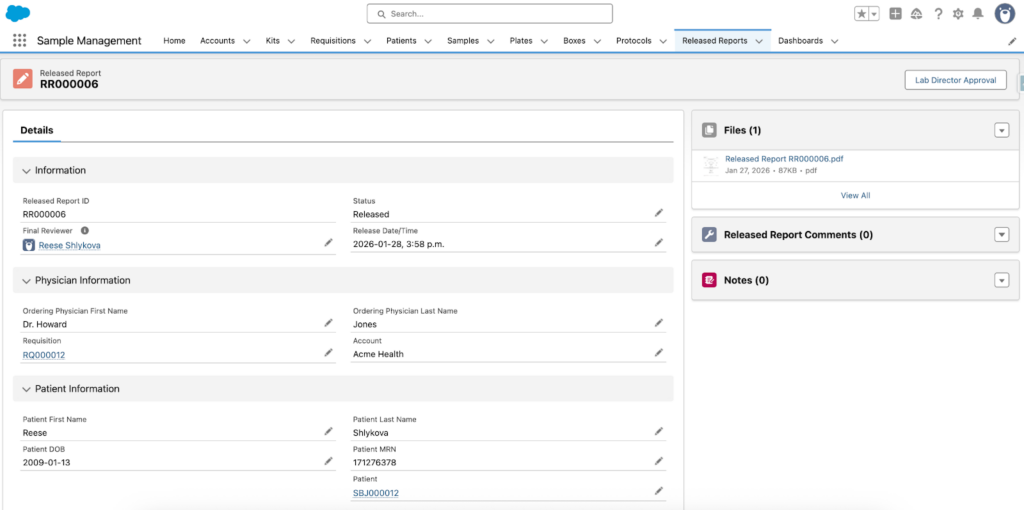
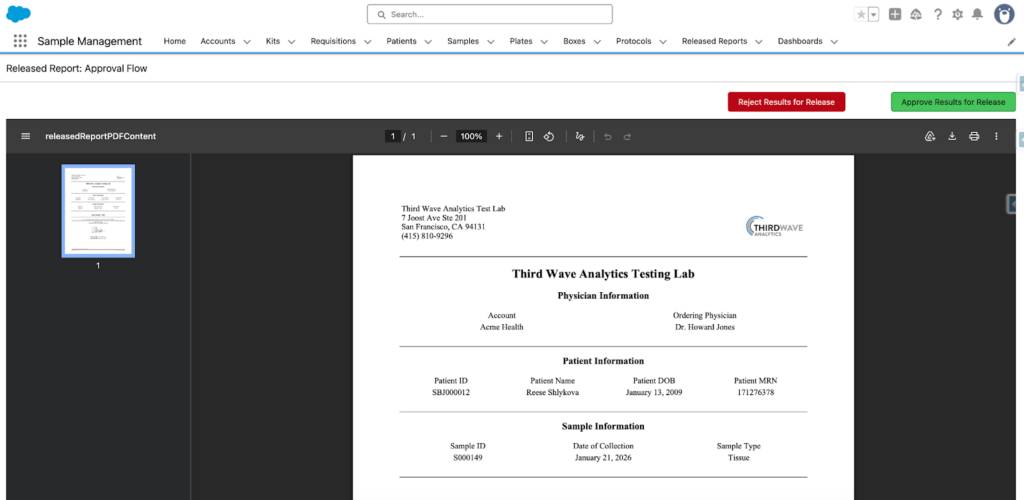
- Standardized, audit-ready Released Report
CSV Import Improvements
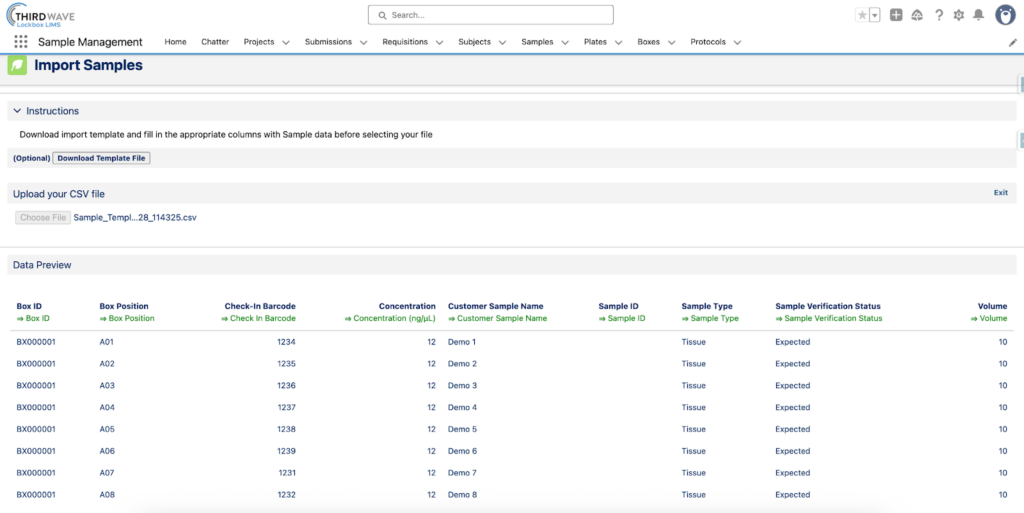
The CSV import tool has significant improvements in this release. Users are now able to download an import template file that is either autogenerated using the Import Definition Column headers or that is designed and predesignated by an administrator. The CSV import tool can now be run in batch context, allowing insertion of up to 50,000 records. To accommodate this increased capacity, the CSV import pages have been revamped with new scrolling behavior that keeps the import button visible when scrolling through long previews of tens of thousands of records.
Improvements to the CSV import user interface include the addition of a timestamp to the CSV import template file name to ensure uniqueness and a non-blocking warning when a CSV column does not exist on the object in Lockbox. New buttons and controls include a reset page button and an option for collapsed, expanded, or hidden controls, allowing administrators to define their initial visibility on the page.
Changes to permissions and data handling enable administrators to assign a new custom permissionthat allows a user to insert and update any records via the CSV import page. The CSV import tool now retains record IDs for records created or updated during import.
Protocol Execution Improvements
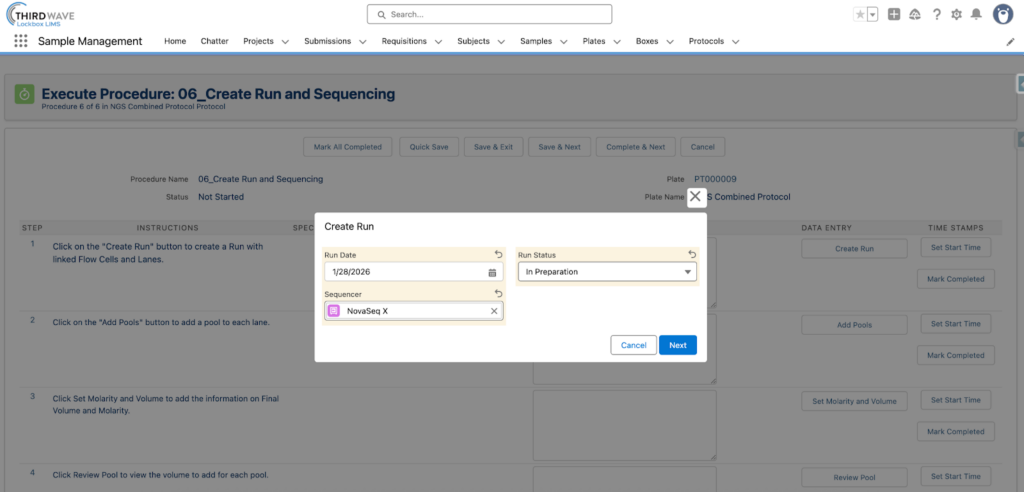
The Lockbox 2.0 release included significant improvements to Protocol execution, including an end-to-end NGS workflow and enhanced automation that allows users to mimic real-life laboratory processes within Lockbox. Lockbox 2.17 expands on the query supported action controls and includes options to define the sort order, limit the number of records displayed, and lock the sort order. Additionally, Lockbox now supports simple nested queries when using query supported actions. In multi-record editing, users can now visualize related fields without the need to create individual formula fields.
Enhancements to permissions include a custom permission called Select Protocol Full Access, which allows any user with the permission to utilize the Select Protocol button on Plate or Sample to create functional copies of Template Procedures.
Quality Management System (QMS) Improvements
Lockbox QMS was officially released with Lockbox 2.0. In this release, improvements have been implemented in the Document Control module. Users can now request new Document Versions directly from the Document Comment record, and creation of customized versions is now a template flow. A new field called External Document Link was added to the Document Version object to link external source files.
A new permission was added to allow users with the permission to use the Route for Approval feature to approve or reject Pathway decisions assigned to them.
A link between the Training module and Document Control was created to allow users to indicate if a new Document Version requires users to be retrained. If a Document Version is marked with Retraining Required, the Team Member Course records will be automatically updated to indicate that an off-cycle training is now required.
Instrument Management Module Improvements
Third Wave Analytics is taking steps to move the Instrument Management module from an add-on to the Lockbox managed package. This Lockbox release includes packaging of key fields and pages of the Instrument Management module.
Security and Access Policy Improvements
Security improvements are included in every Lockbox release. Lockbox version 2.17 includes updates to the access policy for Lockbox triggers such that when a Lockbox record is updated, the triggers execute as though a System Administrator performed the action. This security update is consistent with the Salesforce security review requirements and prevents unintuitive behaviors when less-privileged users make changes.
Sample Tracking Improvements
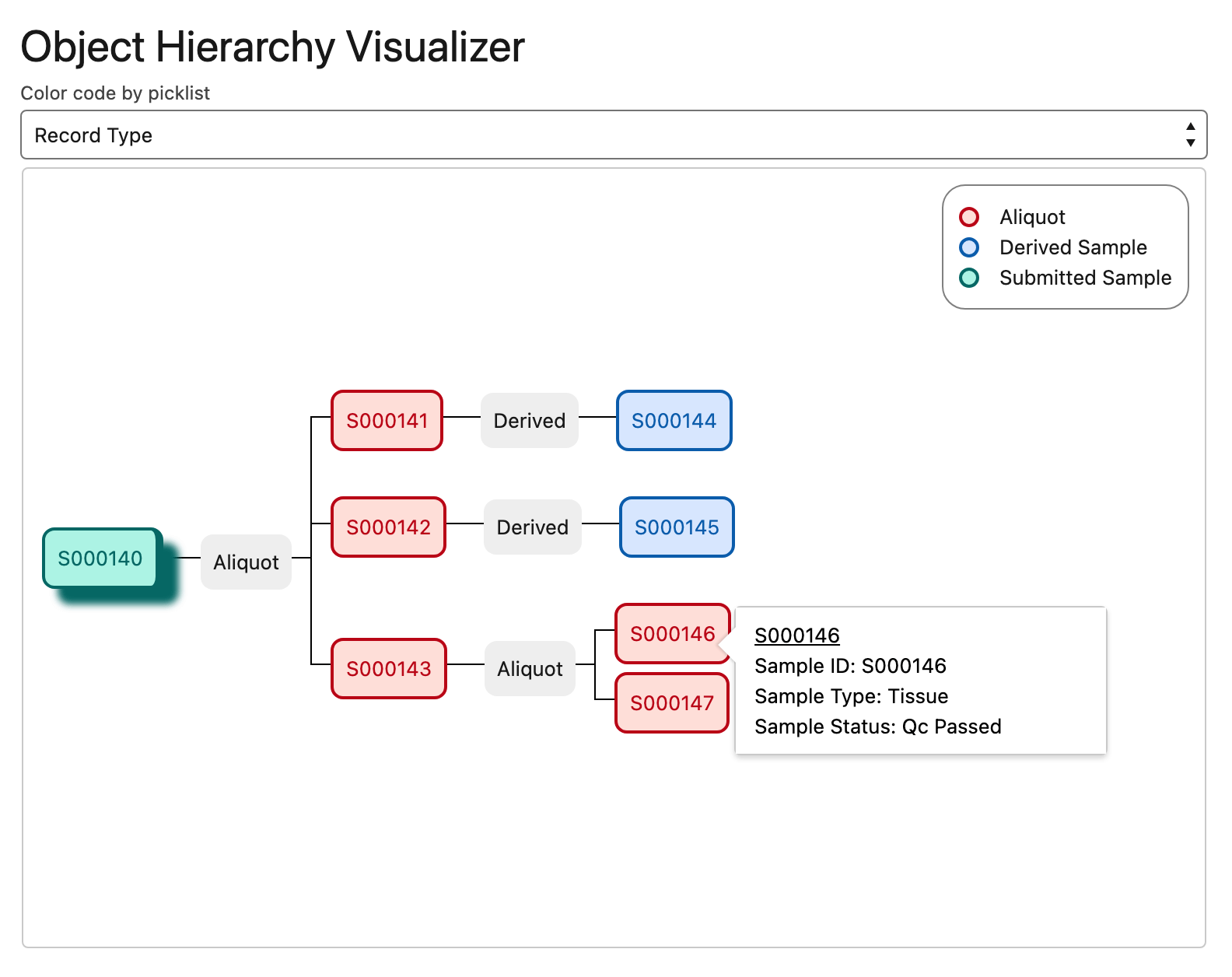
A big change to Sample Tracking is the Object Hierarchy Visualizer. This new tool gives users a visual display of the connections between Sample records by mapping out a family tree of Sample records. This allows users to trace lineage and organize parent and child Samples with color coding based on picklist fields such as Record Type and Sample Type.
Other Notable Improvements within Lockbox 2.0
Plate Map
The Lockbox LIMS Plate Map enableslab users to visually place, assign, and manage Samples or Libraries on configurable Plates using drag-and-drop, automatic row/column assignment (random or sequential), and reserved well options. It also supports easy removal or reassignment of wells, logs all changes for history tracking, and can print customizable Plate Maps as PDFs for bench use. The Plate Map enables users toblock off wells for controls or standards and streamline workflows where specific well placements matter. It can even be tailored for unique Plate sizes by your Lockbox administrator. Check out this demo video to see how the Plate Map feature works.
Sample Check In
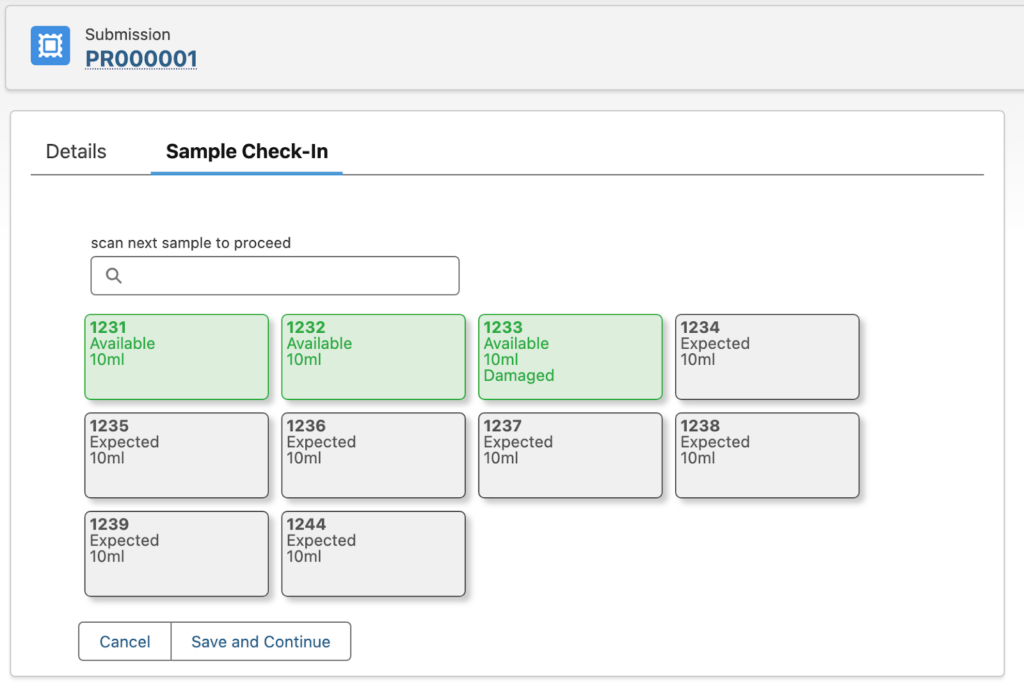
The new Sample Check-In tool allows users to accession incoming Samples quickly and consistently to ensure accurate tracking, chain of custody, and downstream processing. Users can scan Sample barcodes and automatically update Sample Status from Expected to Available. If any initial QC is required, the accessioner can update Sample details such as QC Status and Volume during the accessioning process.
Released Report
Our product team has been refining the Released Report templates. Our latest version gives users the ability to generate standardized, audit-ready Released Reports that compile Sample results, approvals, and metadata in a single controlled output. This feature is regularly used in clinical settings to automatically send laboratory results to clinicians and/or patients.
Conclusion
Lockbox LIMS version 2.17 contains all the features you know and love about Lockbox, plus a focused set of improvementsdesigned to enhance the user experience and the scalability of the system. To take advantage of all of these new features by upgrading your Lockbox org to version 2.17, contact your Engagement Director.